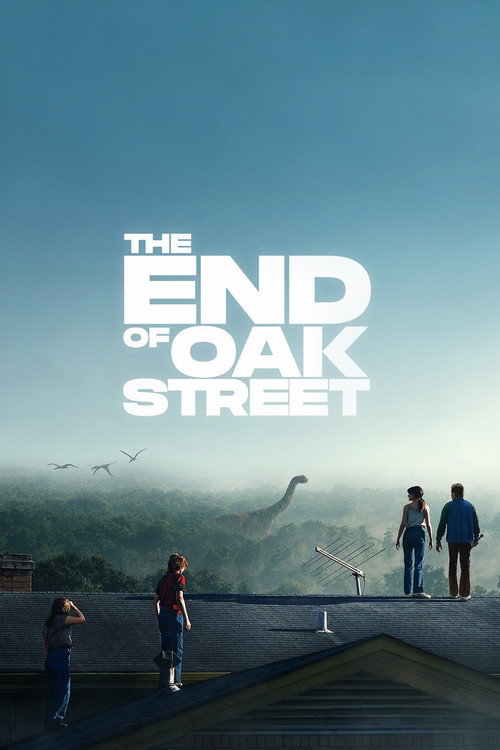
The End of Oak Street
2026 · Movie

AZMovies
Featured films, release years, and a searchable movie catalog. Start with a title or explore something you missed.

After a mysterious cosmic event rips Oak Street from suburbia and transports their neighborhood to someplace unknown, the Platt family soon discovers that their very survival depends on them sticking together as they navigate their now unrecognizable surroundings.
2026 · Movie

2026 · Movie

2026 · Movie

2026 · Movie

2026 · Movie

2026 · Movie

2026 · Movie

2026 · Movie

2026 · Movie

2026 · Movie

2022 · TV Series

2023 · TV Series

2023 · TV Series

2020 · TV Series

1989 · TV Series

2026 · TV Series

2026 · TV Series

2026 · TV Series

2026 · TV Series

2026 · Movie
Take movie lookup from desktop to phone.
Read guide →Use the title details left in an older address.
Read guide →Improve a title query and check the viewing option.
Read guide →Compare a movie’s versions and similar stories.
Read guide →A film does not stop being worth finding when it leaves the front row. AZMovies puts recent titles beside films from earlier decades, with movie and TV search, genre browsing, release years, and a personal watchlist. Start with the name you know or explore a period you have missed. Open a title for its story, language, and viewing choices, then keep browsing or choose Watch Now.
Our catalog is free to explore without creating an AZMovies account. The movie pages connect to JustWatch for viewing options in your country, including free movies online when a matching offer is available. You can compare a familiar favorite with a new discovery before choosing a service. This guide brings the practical questions together: finding the right film, choosing HD or 4K streaming, using subtitles, watching on another screen, and getting back on track when something does not load.
Movie names are not always unique. A remake may use the original title, two unrelated films may share a short name, and an international release may appear under a translated title. AZMovies search gives you a starting point; the year and synopsis help finish the job. Enter the distinctive part of the name in Search, then compare the results before opening a viewing option. Keep the search short enough to match the production rather than adding every word from an advertisement.
A useful example is a title containing a common word such as “host,” “ring,” or “taxi.” The catalog includes films using those names, but the name by itself does not describe the same story in every case. A year can separate productions immediately. The language and overview add context. If someone recommended a Korean monster film, a result with the right word but an unrelated romance synopsis is not the film you were trying to find.
You can refine the search by format, genre, and release year. Choose the movie format when a television adaptation is filling the results. Use a year only when you are reasonably sure of it. If your search returns nothing, remove that year before changing the title. Memories of when you watched a film and when it first came out can be several years apart, especially when a movie arrived on television long after its theatrical release.
Sorting offers a different kind of control. Alphabetical order is helpful when you want to inspect names methodically; release date brings chronology forward; rating and popularity provide other starting points. Changing the order does not change what a film is, but it changes what you notice first. Use that distinction when a long results page feels difficult to scan. A more useful arrangement can solve the problem without needing another search.
Before leaving a promising result, save it to My List. You can then compare another production without depending on a browser tab staying open. The saved entry keeps the title within reach, while the actual viewing decision can wait until you have confirmed the version. This is particularly useful for remakes, similarly named thrillers, and a film whose translated title differs from the one a friend remembers.
The Release Years collection is a simple way to change the range of films you see. Instead of beginning with whatever is most prominent today, choose a period. A year is useful both as a precise identifier and as an invitation to explore. You might revisit films from the year you finished school, look at a decade you know mostly through famous titles, or compare how different filmmakers approached a similar subject at different times.
Older does not necessarily mean slower, and recent does not necessarily mean unfamiliar. A film from several decades ago can feel immediate because its conflict still matters, its performances draw you in, or its images remain striking. Conversely, a new release may deliberately echo an earlier style. Let the date supply context without making it a verdict. The synopsis and genre tell you more about the kind of attention a particular film asks for.
For a dramatic contrast, the catalog includes Rashomon from 1950 and Ran from 1985. One begins with conflicting accounts of an event; the other introduces a ruler dividing his kingdom. These are distinct reasons to choose a film, even within a broad historical browse. You do not need a complete course in cinema before opening either page. Start with the premise that interests you and allow the film to establish its world.
A release year is not a promise about a streaming edition. A restored version, a later digital release, or a director's cut can carry additional dates on a viewing service. Compare the edition's information when you care about a particular version. The original production year remains useful for identification, while the service's listing describes the presentation you can actually select. Those dates can coexist without either one being an error.
If you are exploring a decade, resist treating it as a checklist you have to finish. Choose one film for its story, then decide whether you want another from the same period. A comedy, a thriller, and an animated feature released near one another may offer radically different evenings. AZMovies keeps the year filter available so you can make that comparison deliberately, rather than letting a single category define an entire era.
Browse by Genre gives you recognizable places to begin: action, comedy, crime, drama, fantasy, horror, romance, and more. The labels work best as broad clues. A crime film can be a patient investigation or a relentless escape. A comedy can be gentle, awkward, or sharply satirical. Opening the title page lets you move from a category to the particular conflict, characters, and setting that make the film worth considering.
For action, think about what you want the action to do. You may want an adventure through an elaborate world, a tightly contained survival story, or a comic chase. The Raid places a police operation inside a hostile building, making its premise very different from a broad space adventure. The title page helps establish that distinction without revealing how the conflict ends. Choose the situation you want to follow rather than assuming every action poster promises the same experience.
Comedy also benefits from a closer look. Wild Tales brings comedy together with dramatic and thriller elements. A genre tag alone cannot tell you how dark, uncomfortable, or playful a film will feel. Read the outline and, when choosing for others, look at the viewing service's content information. A group hoping for a gentle background comedy may not want the same film as a viewer interested in escalating tension and sharp contrasts.
Horror and mystery are particularly sensitive to spoilers. For A Tale of Two Sisters, the family situation and unsettling atmosphere offer enough of a starting point. You do not need an explanation of every turn before deciding whether that kind of film appeals. If a synopsis has already made you curious, move to the viewing choices before a discussion thread answers questions the film intends to raise gradually.
Use combined tags as an advantage. A drama with music may suit you when a conventional musical does not. A science-fiction story can revolve around relationships rather than spectacle. A romance may also be a comedy or a tragedy. The most productive browse often happens where categories overlap, because those combinations describe the experience more accurately than one large label can. Read across the tags, then let the premise make the final case.
AZMovies includes titles with different original languages, and the Languages page helps you explore them. Language is a useful entry point into the catalog, particularly when you want to hear a particular performance or discover films beyond your usual viewing. It should not become a rigid boundary. A story set far from your own experience can still be immediately engaging through its characters, conflict, humor, and setting.
Hindi cinema, for example, contains far more than one kind of film. The catalog's 3 Idiots introduces friendship and conflict around university life, while Dilwale Dulhania Le Jayenge offers another direction through romance and drama. Their shared language does not make them substitutes. Begin with the story you want, then check the available audio and subtitles on the viewing service you choose.
If you arrived looking for AZMovies Telugu movies or a Hindi-dubbed film, separate the production's original language from the playback tracks you want. The original-language label describes the film. A Hindi dub or English subtitle track describes an available version on a particular service. One does not establish the other. Search the exact movie first, then inspect that service's track menu so you know whether the offered version matches the way you want to watch.
Names can vary between a local release, an international title, and a translated listing. If a search is difficult, try the alternate title you already know, or reduce the query to a distinctive word and use the release year. Avoid assuming that the most literal translation is the actual release title. Comparing the synopsis is often enough to recognize the film even when its title is less familiar.
Country selection has a separate purpose here. The Countries page sets your viewing region for watch links; it does not turn every result into a film produced in that country. You can explore Japanese animation while checking offers available where you live. Keep those two choices separate: language helps you discover the film, and viewing country helps you find an offer you can use.
Animation spans an enormous range of subjects and audiences. The medium can tell a quiet coming-of-age story, create an elaborate fantasy, or explore material intended for adults. AZMovies places animation within the wider movie catalog so you can compare individual titles instead of treating the category as a single family option. Read the story and age guidance for the production itself. An illustrated poster is not enough information to choose for children.
From Up on Poppy Hill introduces students and a changing Yokohama in the 1960s. Its setting gives it a different starting point from a futuristic action film such as Ghost in the Shell. You may be interested in both, but for different reasons. Reading the details gives those differences room to matter before you choose a viewing service.
Music can be central to a film without turning it into the kind of musical you expected. The Chorus begins with a teacher and a school in 1940s France. Its combination of drama, comedy, and music offers another route through the catalog. When a familiar category has stopped producing interesting choices, a combination like this can help you find a subject you would have missed by following only the broadest labels.
For films where voices, songs, or dialogue rhythm are especially important to you, make the audio decision before settling in. A familiar dub may be the version you want to revisit. Original audio with subtitles may be the version you want to discover. Neither preference can be inferred from the poster. Compare the tracks on the chosen service and take a moment to hear them before committing to a long viewing session.
Keep the frame intact when watching detailed animation. Filling every inch of a screen is not always the same as showing the whole picture. Cropping can remove information near the edges, including subtitles or carefully composed action. Start with the player's normal aspect ratio. Once the image and text are comfortable, the film can hold your attention without repeated adjustments to the screen.
The TV Shows section gives series their own space alongside the movies. Television offers different rhythms: a case resolved within an episode, a mystery that unfolds through a season, a sitcom built around returning characters, or an ongoing drama with a large cast. Decide which rhythm you want before treating every popular series as an equivalent commitment. A show that is perfect for occasional viewing may work differently from one whose details accumulate over many episodes.
A series page is a useful place to identify the program and keep its link. Read the overview, check the first-release year, and make sure the format matches the recommendation. A television adaptation and a film can share the same name without telling the story in the same way. If you want the adaptation someone discussed, confirm the year instead of choosing whichever matching poster appears first.
Episode availability needs a more specific check than movie availability. A service may carry an early season, a newly released season, or selected episodes. Open the season selector on the service you choose and look for the part you intend to watch. A free premiere can introduce a program without including the remaining episodes. The series title identifies the show; the offer determines the episodes included in that particular choice.
For a long-running show, do not assume a single release year means the series has only one season. That year commonly identifies when the program began. A later episode has its own date, and the service may arrange specials, split seasons, or revivals separately. When numbering looks wrong, compare episode names and the provider's published order before jumping forward. This is especially important when a later description could reveal the resolution of a story you have not finished.
My List saves the series, not your playback position. Keep episode progress with the service you use, or note the last episode when moving between services. That small distinction keeps the browsing list useful without confusing it with a Continue Watching row. Return to AZMovies whenever you want another show, a film between seasons, or the title information for a recommendation you have saved.
Each collection gives you a different view of the catalog. Latest emphasizes recent release information. Trending helps surface titles attracting attention. Top rated highlights titles with strong scores in the catalog. These are useful ways to choose where to begin, but none replaces the title's details or the viewing offer. A film can be prominent on one page and still be waiting for a streaming release where you live.
Newness is easy to misunderstand. A film may be newly announced, newly released in cinemas, newly added to a service, or simply new to you. A release date alone does not establish all four. For an upcoming title, save the entry and return to its viewing choices when you are ready. Do not mistake the presence of a poster for a guarantee that the full film is already available to play.
Trending can also include older productions. A new season, a popular discussion, a rerelease, or renewed interest in a performer can bring an earlier title back into view. You do not have to investigate why every title is popular before opening it. Read the premise and decide whether it interests you. The collection is useful because it supplies possibilities, not because popularity makes every possibility the correct choice.
Top IMDb is a familiar term for rating-led browsing, but the scores displayed in this catalog are from The Movie Database, or TMDB. Different rating communities can produce different numbers. Avoid reading a small decimal difference as a precise measure of how much you will enjoy a film. A score is more useful alongside the genre, the story, and the number of people behind it than as an isolated ranking.
Move between these collections when one becomes predictable. If Latest is full of titles you already know, try a release year or a genre instead. If Top rated produces a familiar list of celebrated films, open an individual title you have postponed rather than continuing to scan scores. AZMovies keeps several ways to browse visible so that the final selection can come from interest, not just from the position of a poster.
My List is useful when an interesting title arrives at an inconvenient moment. Save a film while browsing on your lunch break, keep a series someone recommended, or collect a few possible choices before a shared evening. The list gives those titles a place to wait. It does not require an AZMovies account, and you do not need to decide on a viewing service before saving the production.
A good list does not have to be exhaustive. Keep titles you still want to see, remove ones you have finished or lost interest in, and return to a saved entry when its premise feels right. If the list becomes difficult to scan, review it in a quiet moment rather than adding another dozen films automatically. The value comes from being able to find a useful choice later, not from accumulating the largest possible number of entries.
It helps to distinguish a personal recommendation from a shared plan. A difficult drama may be something you want to watch alone, while an adventure might be a good choice with friends. The list holds both, but the decision still depends on the occasion. Open the saved title to refresh your memory of the premise before suggesting it. This avoids choosing a film solely because its name has been sitting in the list for months.
Your saved titles live in the browser you are using. A different browser, profile, or device can have a different list. Clearing the site's stored data can remove the saved entries, and private browsing may not retain them after the session. Keep important titles in your own notes or bookmarks if you need another copy. Do not assume that signing into an unrelated streaming service will synchronize your AZMovies list.
Saving a film also does not reserve an offer. Its available services, price, or subtitle options may change before you watch. When you return, open Watch Now and inspect the current choices for your country. The saved title remains a useful starting point even if its viewing destination has changed. This keeps the list centered on the films and shows you care about rather than on a particular service's current catalog.
Searching for AZMovies free movies usually means you want to watch without taking on another subscription. Browsing our catalog is free, and the viewing choices can help you look for free or advertising-supported offers for a selected title. The key is to check the film and country together. A free option for one title does not mean that every film on the same service, or every film in our catalog, has identical terms.
Open the movie page and choose Watch Now. JustWatch provides the next place to inspect services and available offer types for your selected region. You may find an included subscription option you already have, an advertising-supported stream, a rental, or a purchase. Compare the actual title and edition. A related documentary, sequel, or trailer is not a replacement for the feature you intended to watch.
Advertising-supported viewing can be a good fit when you are comfortable with interruptions. If you are choosing for a group, make that expectation clear before starting. A free stream with adverts feels different from a rental without them, even when the film is the same. Consider whether captions, language, and the device you want are supported too. Price is important, but it is not the only detail that affects the evening.
For a rental, inspect when the rental period begins and how long the service gives you to finish once playback starts. For a trial, read when it ends and whether it renews. These details belong to the selected offer, so use the destination's current information. You can return to another AZMovies title if none of the available options suits you. Browsing does not require choosing the first offer you encounter.
When a friend says a film is free, ask which country and service they used. Regional offers may differ even when the movie title is identical. Set your own viewing country before comparing. The recommendation can still be valuable if you need a different service. AZMovies keeps the title easy to identify so you can separate the question “Do I want to see this?” from the question “Which available option works for me?”
Picture quality matters most when it helps you enjoy the film without distraction. HD streaming commonly includes 720p and 1080p formats; 1080p is often called Full HD. Consumer 4K offers a larger pixel image than Full HD. The label is useful, but it does not describe everything about the result. The source, compression, display, and connection all influence what you see. A clean, stable HD presentation can be more enjoyable than a higher-resolution option that repeatedly stops.
A movie's age does not determine its available resolution. An older production may have a carefully restored edition, while a newer title may be offered in different qualities on different services. Check the selected offer rather than inferring quality from the release year. If a particular restoration or cut matters to you, compare the edition information as well. The highest number is not a substitute for finding the version you wanted.
For 1080p streaming, consider the screen and where you sit. A phone held at a comfortable distance and a large television across the room create different viewing conditions. Fine detail may be easier to notice on the larger screen, but reflections, brightness, and subtitle size can matter just as much. Make the picture comfortable before deciding that the resolution is the problem. Avoid increasing brightness so far that dark scenes lose their intended contrast.
For selected 4K streaming offers, the complete setup must support the service's requirements. The title, plan, playback app, device, display, and connection can all matter. An external monitor or television connection may introduce another requirement. Read the viewing service's current guidance when 4K is your priority. AZMovies title artwork and rating information do not certify the resolution of every offer or turn a browser catalog into a 4K video player.
Give an adaptive stream a little time to settle before changing settings repeatedly. Some players begin with a lower-quality image and adjust as conditions allow. If the picture stays poor, check the player's quality setting, the connection, and the specific offer. Change one thing at a time so you can see what helped. A stable image with readable subtitles and consistent sound is a useful target, not merely a badge with a larger number.
Subtitles can open a film to you in its original language, make dialogue easier to follow, or help when you need to keep the volume low. Start by choosing the spoken audio and the text track separately. A player may offer original audio, a dub, standard subtitles, and captions with additional sound information. These are different options, even when some of them use the same language name.
Look for the language menu after opening playback with your chosen service. On a touch screen it may appear when you tap the video; on a television it may be reached through the remote's playback controls. For a concrete service example, Netflix explains its Audio & Subtitles controls for supported devices. Other services arrange the controls differently. Use the help for the player actually on your screen instead of expecting every app to share one menu.
Caption detail matters as well as language. Standard subtitles may focus on spoken dialogue, while captions for deaf and hard-of-hearing viewers can add speaker identification and meaningful sounds. Inspect the available track rather than assuming a generic subtitle label includes everything you need. Availability can differ across titles or episodes. If captions are essential to your viewing, confirm them before choosing a long rental or beginning a series.
When subtitle customization is available, test size and background from your normal viewing position. A line that looks clear close to a television may be difficult to read from the sofa. A subtle shadow or background can help over bright scenes, while overly large text may hide details. Choose a setting that lets you read without repeatedly shifting attention away from the image. Recheck it when you change screen or casting method.
If text appears late, disappears, or stays in the wrong language, isolate the problem. Confirm the selected track, reopen playback, and test another available subtitle track if appropriate. Note whether the problem follows one title or every title on that service. This gives you a more useful starting point than changing unrelated network settings. A working picture with broken captions is a different problem from a video that will not start.
Browser-based access makes it easy to browse AZMovies on the screen you have with you. The navigation, search field, title cards, and article content adapt to smaller displays. You can identify a film on a phone, read more about it on a tablet, or compare several possibilities on a desktop. The catalog does not require a separate native app before you can begin looking for movies and TV shows online.
On a phone, keep searches concise and use the filters when the results are broad. Opening a title provides more useful information than trying to read every detail from a small poster. Save a promising result before returning to the list. If you rotate the screen, allow the page to settle before tapping a control so an ordinary layout change does not lead to an unintended selection.
A tablet offers more room for reading a synopsis and comparing artwork. It can be a comfortable browsing screen even when you intend to watch on a television later. Use a stable position for longer reading sessions and adjust browser text size if needed. When the viewing service opens, it may use its own layout or suggest a supported app. Follow the service's supported method for playback rather than assuming browsing and video use the same controls.
Desktop browsing is convenient when you want to compare editions or keep a title page beside a recommendation. Use separate tabs sparingly and check which page has the active audio if more than one player is open. Browser zoom can make text more comfortable without changing the film's resolution. Keyboard shortcuts for playback, when offered, belong to the active video player; typing into AZMovies search should still behave like ordinary text entry.
For mobile streaming, the selected service's data and download settings matter. A cellular connection can behave differently from home Wi-Fi, and a high-quality stream may use more data than browsing posters and descriptions. Check your own plan and the player's settings before a long session away from Wi-Fi. The catalog remains a place to find and save the film even when you decide to wait for a more suitable connection to watch it.
A television changes the practical side of movie selection. Text needs to be readable from farther away, a remote makes typing slower, and the available playback apps may differ from those on a phone. Browse on whichever screen makes choosing easiest, then use the viewing service's supported television app, streaming device, or casting method. You do not need to force every part of the process through the TV browser.
When switching screens, keep the exact title and year in view. Search that production in the service's TV app and compare the edition before starting. For a series, keep the season and episode too. A phone's catalog link may not automatically open the matching television app, and a saved browser list is not a universal TV queue. Having the production details ready makes the move straightforward even without automatic handoff.
Casting and screen mirroring are not interchangeable in every setup. A supported Cast or AirPlay option may give the viewing device its own playback session, while mirroring may show the phone's screen more directly. Support depends on the service and devices involved. Test picture, sound, and subtitles together. If the phone looks correct but the television does not, focus on the casting method or TV app rather than changing the film you selected.
Consoles can also provide viewing apps, but availability differs by console, service, and country. Use the supported app where offered and check the controller's playback controls. A console browser loading AZMovies successfully does not establish that every linked video service will play inside that browser. The appropriate playback app can be the simpler option, particularly when captions, account access, or higher resolutions matter to the viewing session.
Before a shared screening, make a short practical check: can everyone see the full frame, hear dialogue, and read captions from their seats? These details affect the film more directly than an elaborate setup ritual. Close unrelated notifications on a mirrored device, choose the appropriate audio output, and start from the beginning. Once the setup works, let it stay out of the way rather than repeatedly adjusting controls during the story.
Modern viewing services may offer more than play and pause. Picture-in-Picture, playback speed, keyboard shortcuts, audio choices, and subtitle customization can make a session more comfortable. The useful starting point is the player you actually selected. AZMovies supplies the catalog and viewing links; the destination supplies its player and available controls. A feature familiar from one service may be absent or behave differently on another.
Picture-in-Picture can keep a small video window visible while you use another part of the screen. It is useful for some viewing situations, but it may make detailed subtitles or visually dense scenes harder to follow. Test the window size before relying on it for a subtitled film. On a phone or computer, system and browser support can affect whether the option appears. Look for the control in the active player or the service's device guidance.
Playback speed is a matter of preference when the service offers it. It can be helpful for revisiting a section or listening at a pace that suits you. For a first viewing of a film, consider how changes affect performance, comic timing, music, and tension. There is no need to use every control simply because it is available. The normal presentation is a sensible starting point, with adjustments made for an actual need.
Keyboard shortcuts depend on focus. A key intended to pause video can type a character when the search box is active, and a navigation key can scroll the page instead of seeking. Click or focus the player first and consult its own shortcut list. Do not assume that a shortcut you use in one streaming app is universal. On a television, the remote's ordinary playback buttons may be the most reliable controls.
HTML5 video is part of how many browsers support online playback, but the term alone is not a quality guarantee. Services can combine browser playback with their own delivery, protection, and device requirements. If a player reports that the browser is unsupported, use the service's recommended browser or app. Installing an unrelated extension is not a necessary consequence of opening an AZMovies title page.
Start with the part that stopped. Does the AZMovies homepage fail to open? Does a title search return no result? Does Watch Now open a page that loads normally, but its video then buffers? These observations point to different problems. A catalog page, a viewing listing, and a streaming player are separate parts of the journey. Identify the first failure before repeating the same action across every tab.
If the catalog loads but a search is empty, simplify the query and remove filters. Try a distinctive title word rather than a long phrase containing resolution or download terms. If another ordinary title appears, the search interface is responding and the issue may be the query or catalog coverage. If controls do not respond at all, reload the page and check whether a browser update or extension is affecting this site.
If a page fails to load, compare another page on the same site and an unrelated website. This helps distinguish one broken link from a broader connection issue. Check the address for an accidental extra character, especially when copying from a message. You can use the Not Working and Playback Help page as a place to work through the symptom without assuming that a single failed page means every part of the site is unavailable.
For buffering after you reach the viewing service, test the connection and player separately. Pause other heavy network activity, try a lower supported quality, and see whether another title on the same service behaves differently. A wireless signal that is adequate for text pages may still be inconsistent for video. If possible, compare a steadier connection. Keep track of which change affects playback rather than changing everything at once.
Some streaming servers become slow or temporarily unavailable, and services may distribute video through multiple delivery locations. That does not mean this catalog offers a server-switch button or a guaranteed backup stream. Use any alternative player or quality choice supplied by the actual service. If none is available, inspect another listed viewing offer for the title or return later. The useful goal is a working session, not repeatedly selecting an option that is showing the same error.
The AZMovies App page explains browser access and available home-screen options. You can browse the website without installing an Android application package, commonly called an APK. A home-screen shortcut gives you a convenient way back to the site, but it is not the same thing as a native movie player. Use the installation or bookmark options your browser actually provides.
Searches for an AZMovies APK download, an old app version, or an APK mod can bring up separately published software. A matching name does not establish that it belongs to this website. This catalog does not distribute a native APK or an app modification. You can continue searching titles in the browser without making that installation part of the process. For playback on a service you choose, use the app that service supports for your device.
Offline viewing is also separate from saving a title. My List keeps a movie or series reference; it does not download its video. If you need a film for travel, inspect the selected viewing service's download feature. Check the supported device, available language tracks, storage requirements, and any expiry rules. Test the downloaded item through that app before leaving a connection rather than assuming that a saved poster means the film is ready offline.
An AZMovies video downloader search may describe the result you want, but this website does not supply downloadable movie files. The practical option is the selected service's supported offline mode where available. A browser bookmark, saved webpage, or screenshot of a title can help you remember a film without storing the film itself. Keeping those functions distinct avoids discovering the difference after you have already started a journey.
You may encounter names such as AZMovies.to, AZMovies.ag, AZMovies.net, or AZMovies.com in bookmarks and discussions. Domain endings help identify an address, but similar names alone do not establish that websites share an operator, accounts, catalog, or features. Use the Domains and Access page for the address questions connected to this site. An old link can describe an older experience rather than the page you are using now.
If you arrived from an old movie bookmark, try finding the film through the homepage search. A title can remain identifiable even when a former page address no longer works. Search by name and year, then save the current title page if it is the one you wanted. This is often more useful than repeatedly opening a broken deep link with different punctuation or an assumed new domain ending.
Mirror, proxy, and unblocked are terms people use for different access problems. A temporary outage, an incorrectly copied URL, and a network restriction are not the same issue. Compare the failed page with another page and note the message shown. This site does not offer a guaranteed universal proxy or claim that a similarly named address is a working backup. Use published information about the actual service and network involved.
For an AZMovies Reddit discussion or a new-domain recommendation, pay attention to its date and the address being discussed. A comment that accurately described one website months ago may not describe the site in front of you. Keep the useful part, such as a film recommendation or a specific symptom, without assuming every linked address has the same features. Your saved title and release details remain useful when you return to ordinary movie browsing.
An alternative is useful when it solves a concrete problem. You might need a different subtitle language, a service available on your television, a free offer, or an edition that is absent from the first listing. Begin with the title and the missing requirement. That produces a more useful comparison than moving through a long list of websites without knowing what would make the next one a better fit.
Our AZMovies Alternatives page gives the topic its own place. When comparing sites like AZMovies, distinguish catalog browsing from playback. A broad movie selection can be helpful for identifying productions, while the actual viewing service determines quality, language tracks, account requirements, and available episodes. Compare the part you need rather than assuming a larger homepage has automatically solved every viewing question.
For a movie you cannot currently watch, saving it can be a better decision than choosing an unrelated result with a similar name. Return to the saved entry later, or select another film whose premise genuinely interests you. A temporary lack of a suitable offer need not turn the whole browse into a search for the same unavailable option. The catalog contains other genres and release years worth exploring on their own terms.
Return to a clear next step when you have enough information. Open Movies for a feature, choose TV Shows for episodes, or enter a title in Search. Use the details to identify it and Watch Now to inspect an offer for your country. AZMovies is most useful when browsing turns into a choice you understand, whether that means watching today or saving a film you are pleased to have found.
Search for the movie, open its title page, and select Watch Now to inspect viewing options through JustWatch. Set your viewing country and compare the available services. The service you choose supplies playback and its own quality, audio, subtitle, and account options.
You can search the catalog, read title pages, and save My List without creating an AZMovies account. Viewing offers have their own terms. Look for a free or advertising-supported option for the particular title and country instead of assuming every listed movie is free to play.
Yes. TV Shows has a separate catalog, and search can be filtered by format. Open the series to identify the production, then inspect its seasons and episodes on the selected viewing service. A show appearing in the catalog does not establish that every season is available in every country.
Yes. Search supports genre and release-year filters alongside title text and format. Release Years and Genres also offer browsing collections. If a result disappears, remove the narrowest filter first, especially a year you are not sure of.
No single resolution is guaranteed for every title. Check the selected viewing offer for HD, Full HD, or 4K and its supported plan, app, device, and connection. A film's release year and catalog poster do not determine the quality of the available stream.
Use the audio and subtitle menu in the viewing service's player. Choose the tracks offered for that title and edition. The original-language label in AZMovies identifies the production, while the actual service determines whether English subtitles, Hindi audio, or other tracks are available.
No APK is required for catalog browsing. Open the website in a supported modern browser and use the App page for available shortcut or home-screen options. This site does not distribute a native AZMovies APK or a modified application.
AZMovies does not provide downloadable movie files. Check the chosen viewing service's supported app for offline viewing, including expiry, device, storage, and language requirements. My List saves titles for browsing and does not store their videos.
Check whether the problem affects one URL, the search controls, or playback after leaving the catalog. Try another page, simplify an empty search, and note the exact error. For a video problem, use the selected service's playback help and compare another title on that service.
You can browse on a phone, tablet, or computer and use the selected service's supported Smart TV app, streaming device, or casting option to watch. Keep the title, year, and episode details ready when switching screens. My List does not automatically synchronize with a television app.
